HypeMyStream
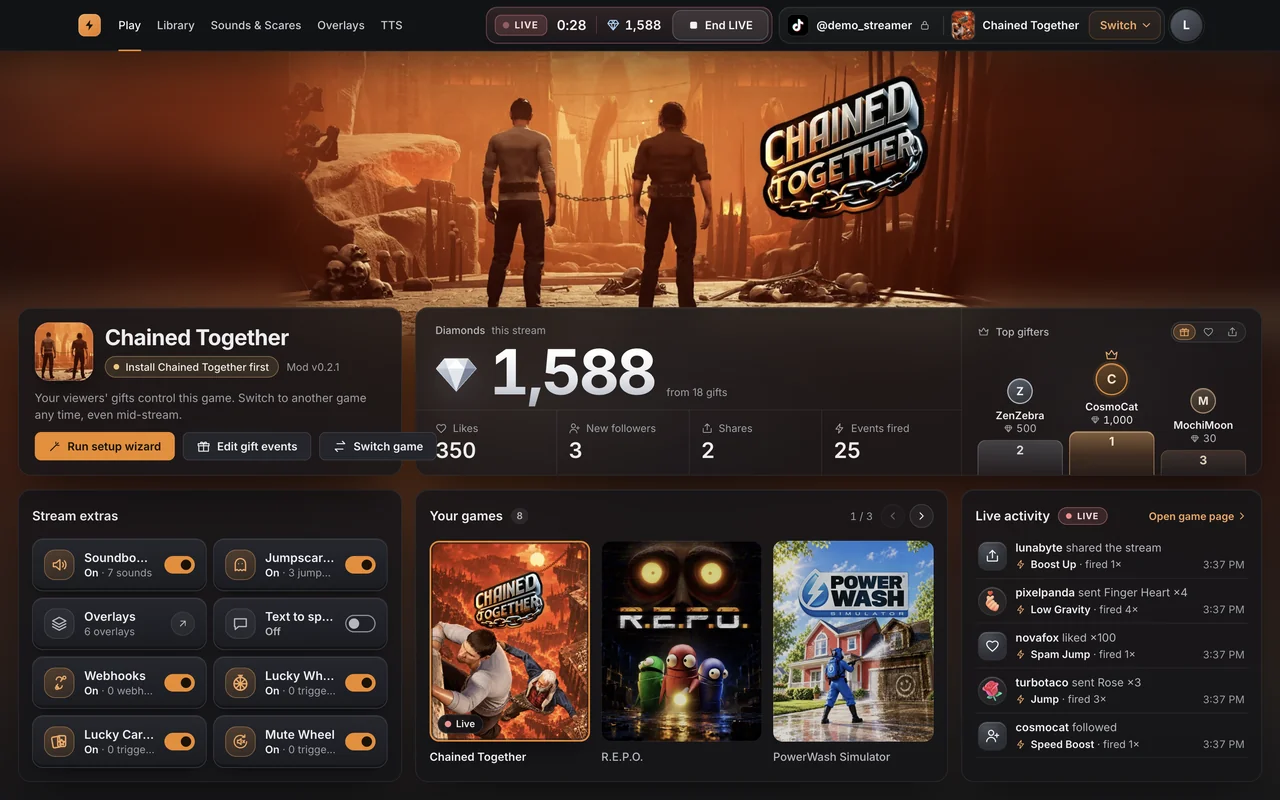
Let your TikTok LIVE viewers play along. Their gifts, likes, follows, shares and chat set off actions in the game you are playing, sounds, jumpscares, on-stream overlays, text to speech, a Lucky Wheel and more.
Download for Windows Get started View on GitHub
What it is
HypeMyStream is a desktop app for streamers. This is the open-source, self-hosted release:
- It runs on your computer. There is no account, no login, no subscription and no HypeMyStream cloud. Your setup is saved in a folder on your PC.
- Everything is unlocked. No plans, no limits.
- It connects straight to TikTok LIVE from your computer. An offline simulation lets you try everything without going live.
- It comes with the original game library: 107 games are offered, 99 of them work in this release. Mods are downloaded when you install a game and checked before they are used.
The Windows installer is on GitHub Releases. You can also build it from source on Windows, macOS or Linux.
HypeMyStream is an independent project. It is not affiliated with, endorsed by or sponsored by TikTok or ByteDance, or by the makers of the games it supports.
Feature tour
Viewers control your game
Pick a game from the Library, install its mod with the setup wizard, and choose which gift does what. A Rose
can make you jump, a Galaxy can raise the lava. Likes, new followers, shares and chat commands like !jump can set
off game actions too. Each gift event has a Test button, so you can try it before you go live.
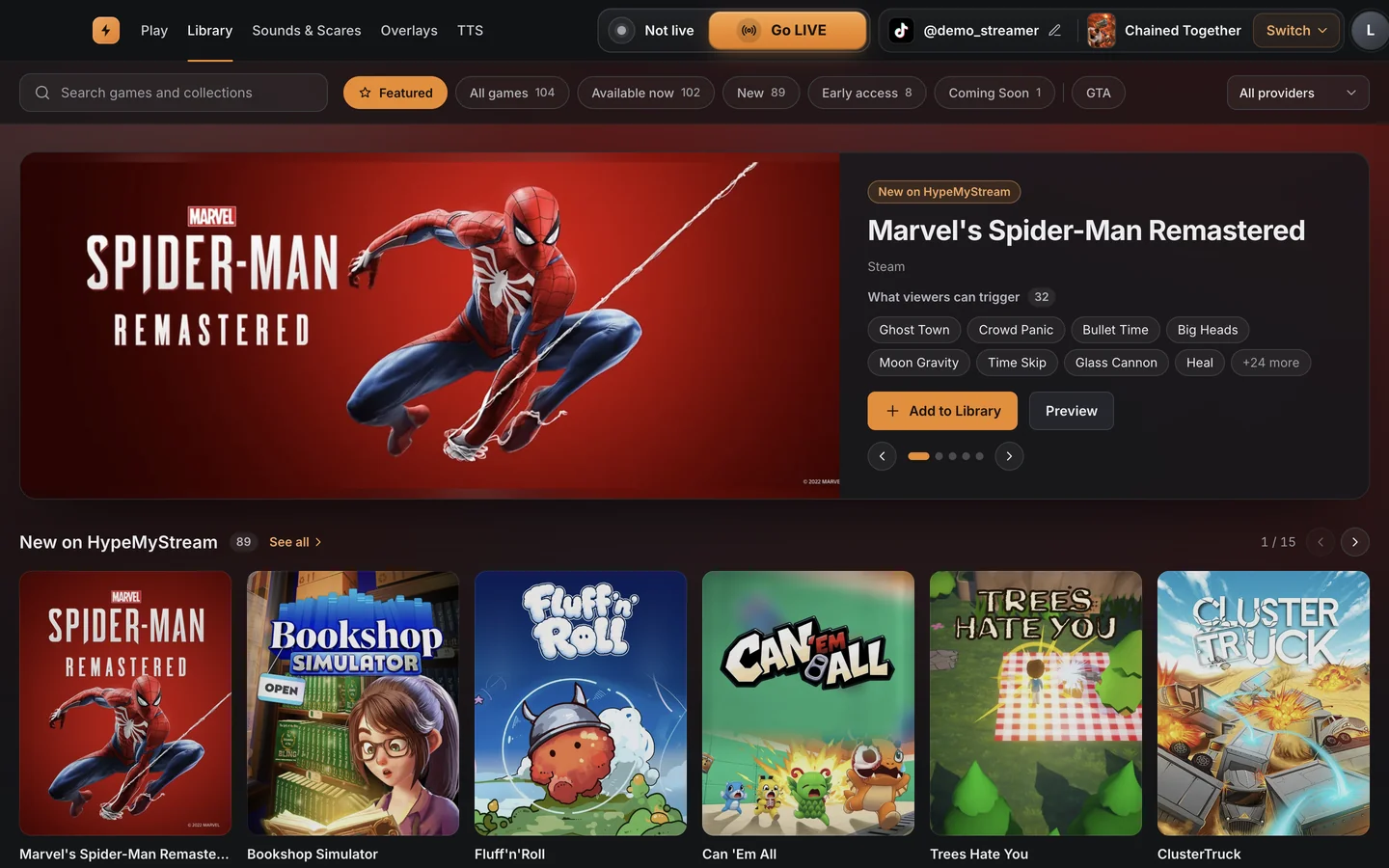
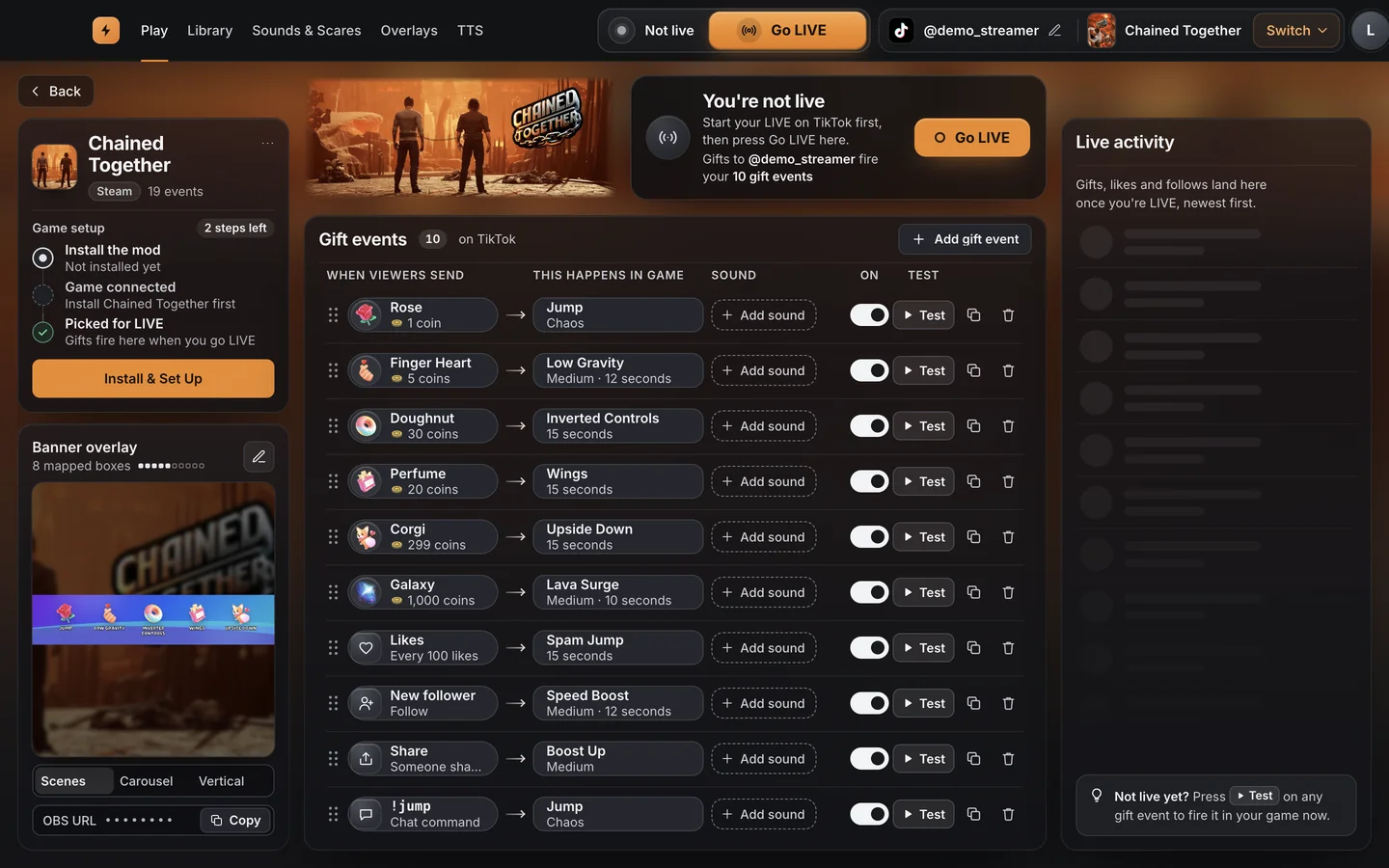
More: Games and mods and Commands, gifts and likes.
Overlays for OBS and TikTok LIVE Studio
Like goals, top gifters, follower alerts, a coin jar, gift rain, king of the hill and more, plus a banner that shows
viewers which gift does what. Each overlay has its own link on http://127.0.0.1:39217. Add it once as a browser
source in OBS or a Link source in TikTok LIVE Studio, then change it in the app any time.
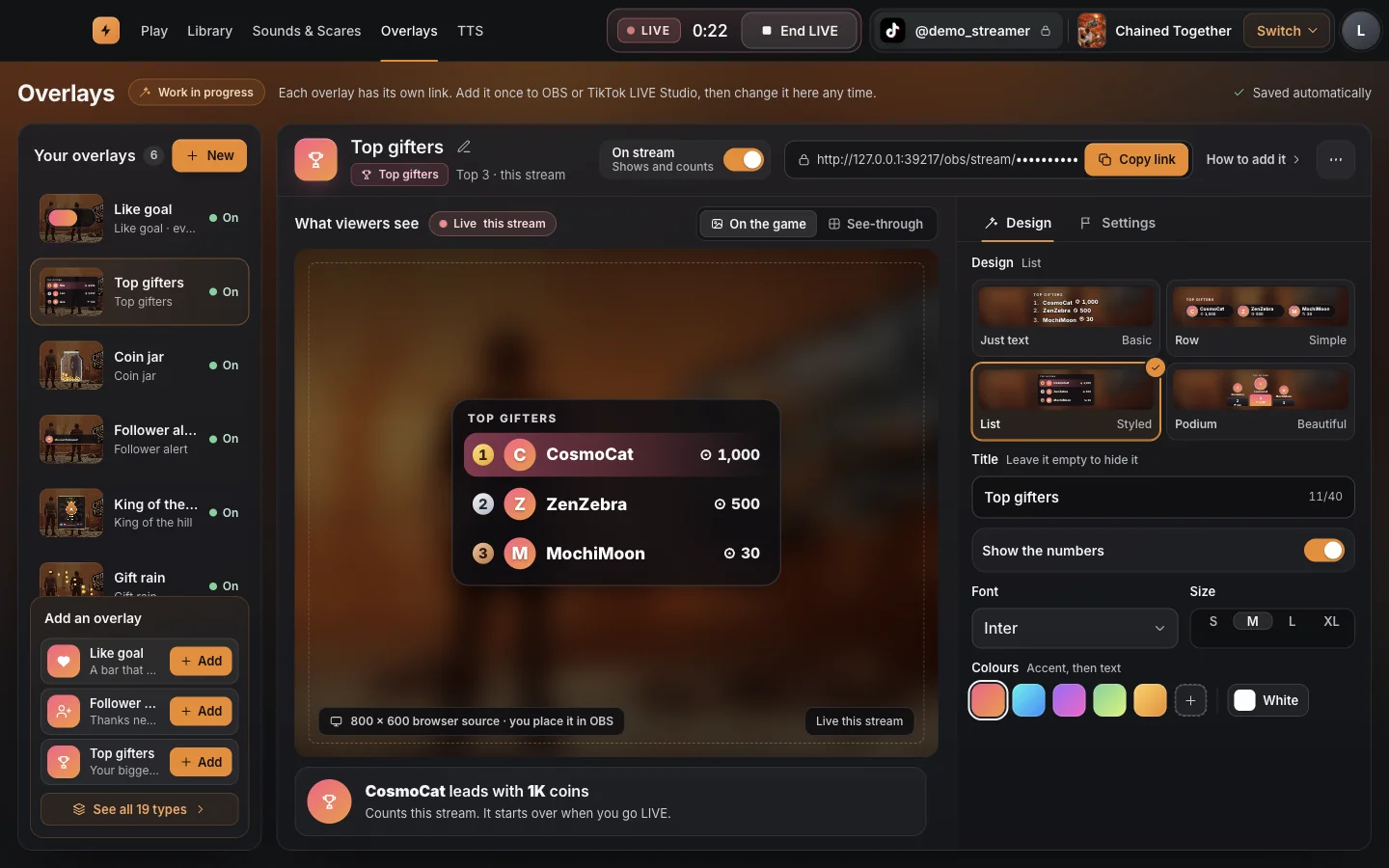
More: OBS and LIVE Studio overlays.
Sounds, jumpscares and text to speech
A soundboard and full-screen jumpscares that viewers set off with gifts, follows, shares, likes and chat. Text to speech reads chat aloud with your computer’s own voices.
More: Sounds and scares and Text to speech.
Lucky Wheel, Lucky Cards and Mute Wheel
Gifts spin a wheel or draw a card that picks a random game event. The Mute Wheel shows a mute timer on stream that viewers can add to, or take time off.
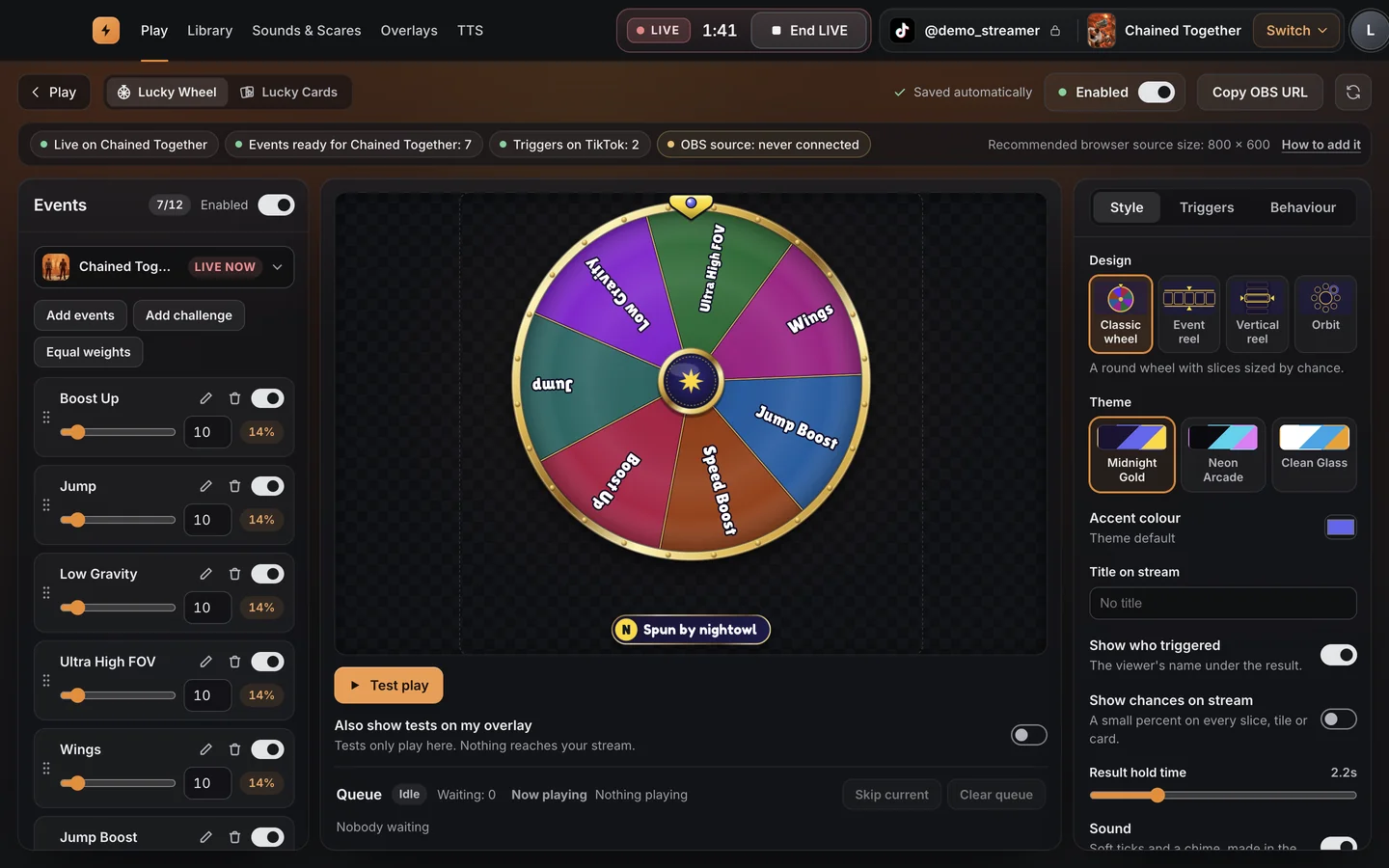
More: Features.
Test without going live
Turn on Offline simulation in Settings → TikTok LIVE and press Go LIVE. The app goes LIVE at once without TikTok. Then use the Test buttons on your gift events, in Sounds & Scares, on the Lucky Wheel (Test play) and on the Mute Wheel to check your game, sounds and widgets.
More: Go LIVE on TikTok.
Quick start
- Download
HypeMyStream-<version>-setup.exefrom GitHub Releases and run it. Install on Windows explains the SmartScreen warning. - When the app asks What’s your TikTok username?, type your @username and click Save.
- Open Library, find your game and click Add.
- Open the game and click Install & Set Up. The wizard finds your game and installs the mod.
- Under Gift events, click Add gift event, pick a gift and what it does in the game. Click Test to try it.
- Start your LIVE in TikTok or TikTok LIVE Studio, then click Go LIVE in the top bar of HypeMyStream.
The full walkthrough is in First run.
Get help
- Troubleshooting and FAQ
- GitHub issues for bugs and ideas
- Discord to chat with other streamers